Check how search and AI see the site
Find what search engines and AI assistants trip over, fix it, and choose which AI crawlers may visit.
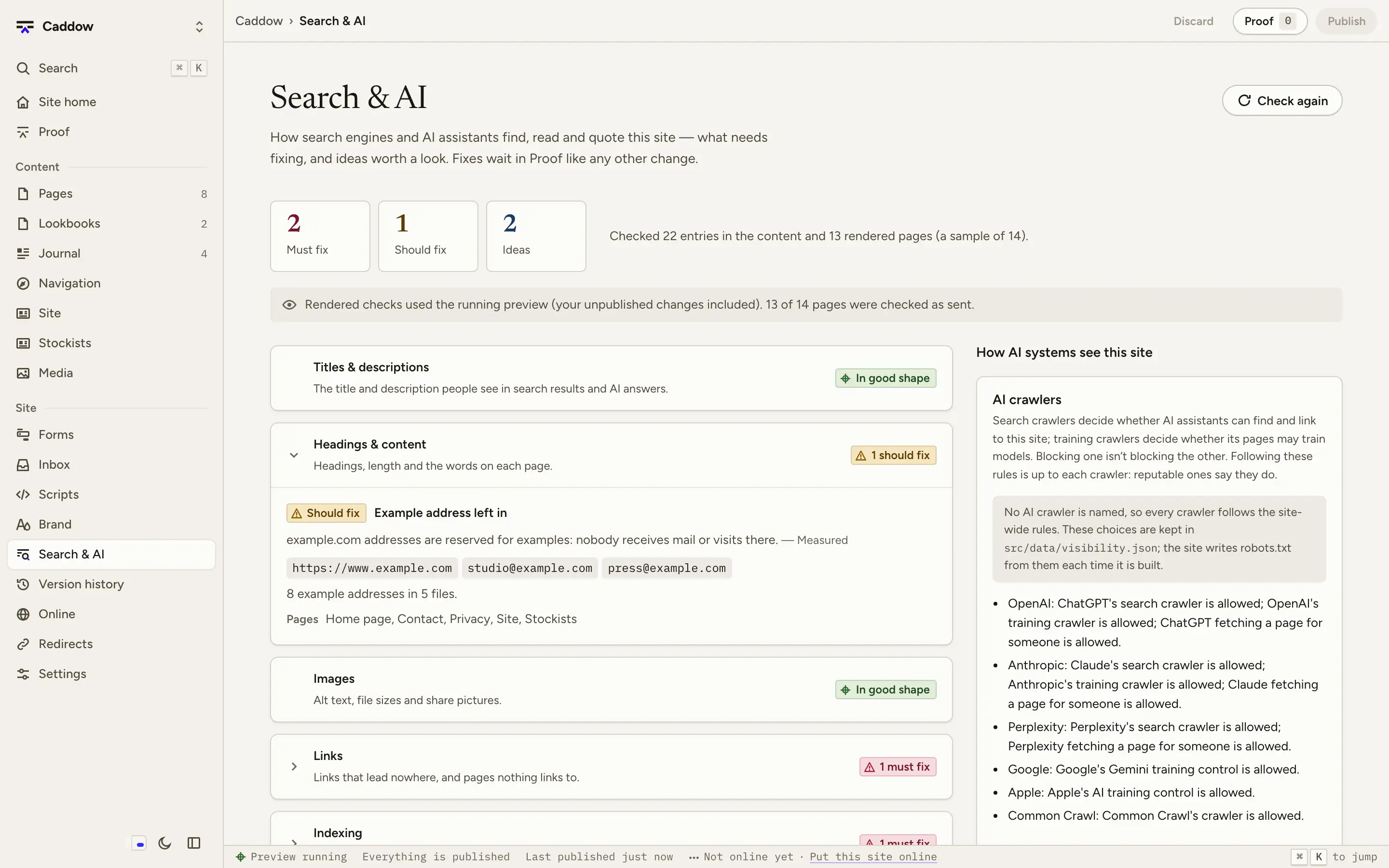
Open Search & AI in the sidebar. The checks run straight away; with the preview running they also check the pages as visitors get them. Check again runs them after a change.
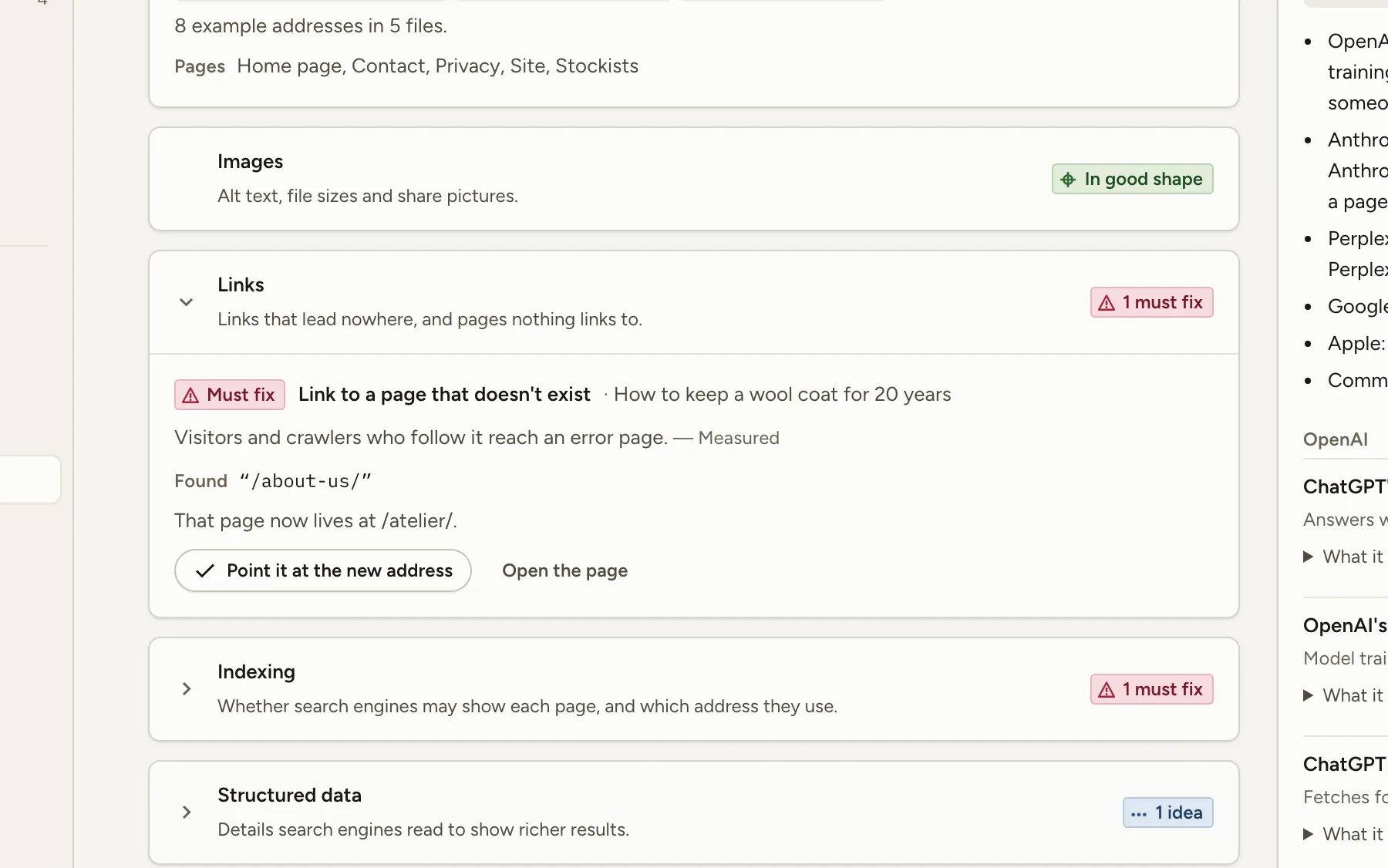
Open a group to see its findings. Where the right fix is certain, the finding offers it — here Point it at the new address.
Press Point it at the new address.
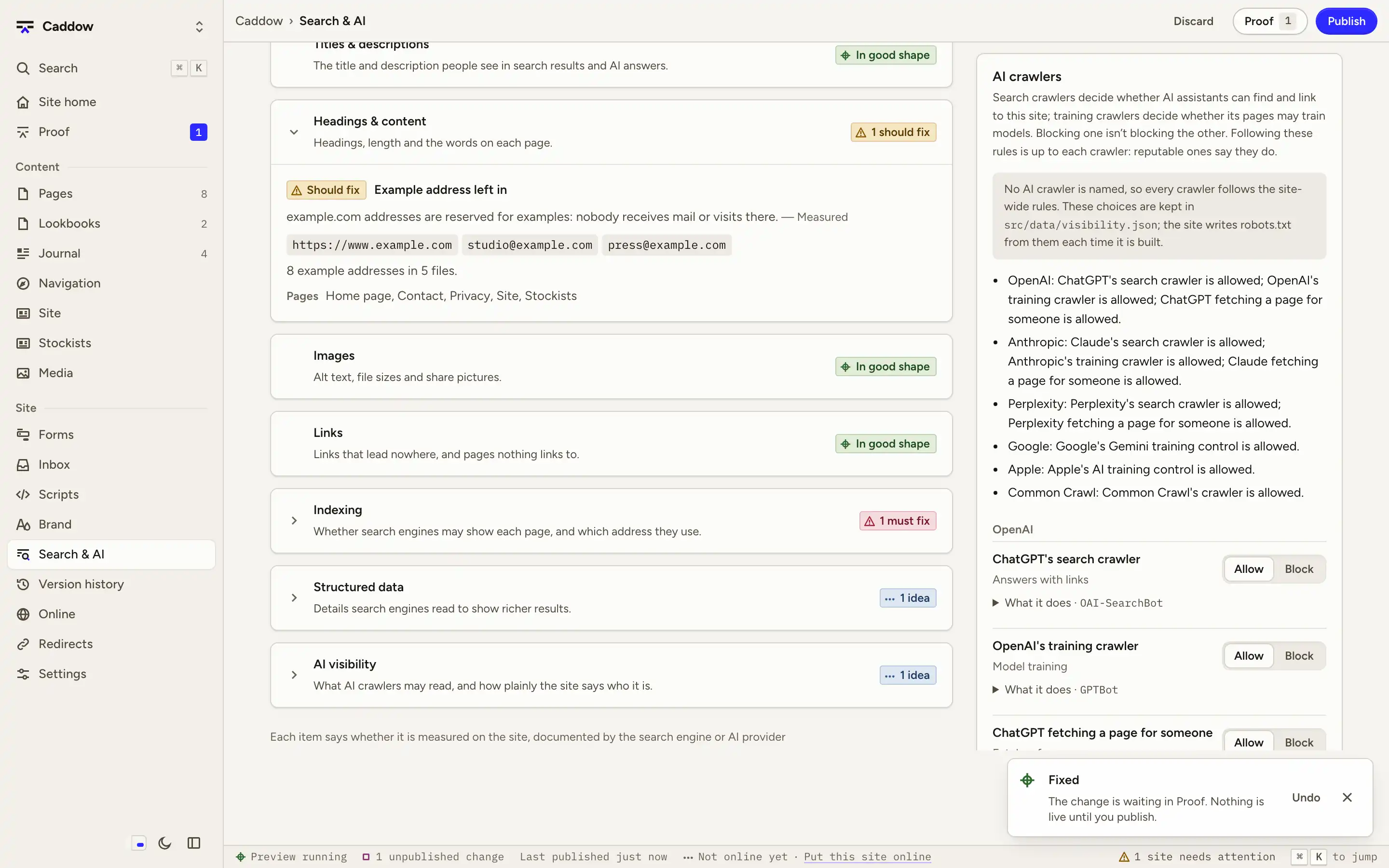
You’ll see: The fix is an ordinary change waiting in Proof, and the checks run again. Undo puts it back.
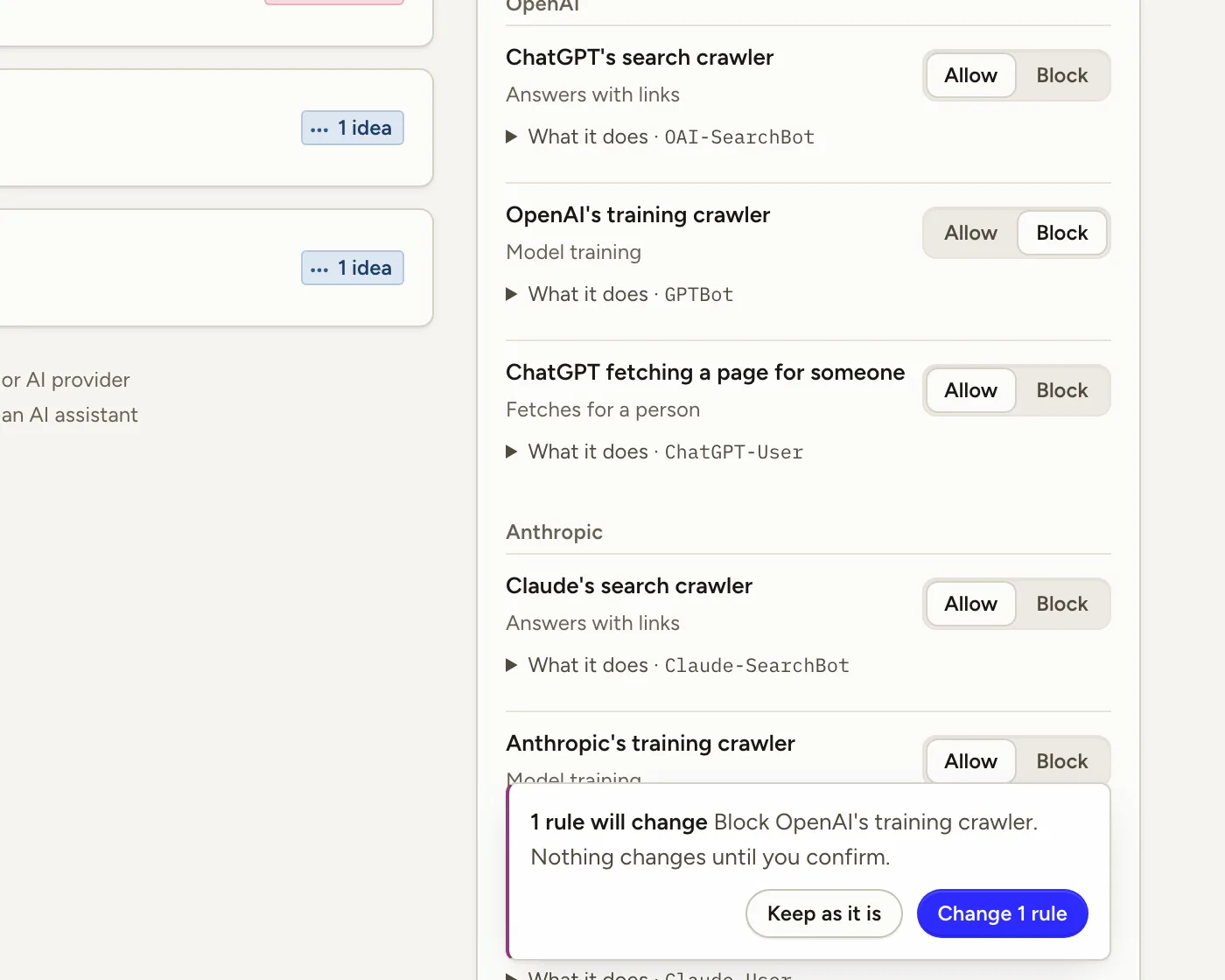
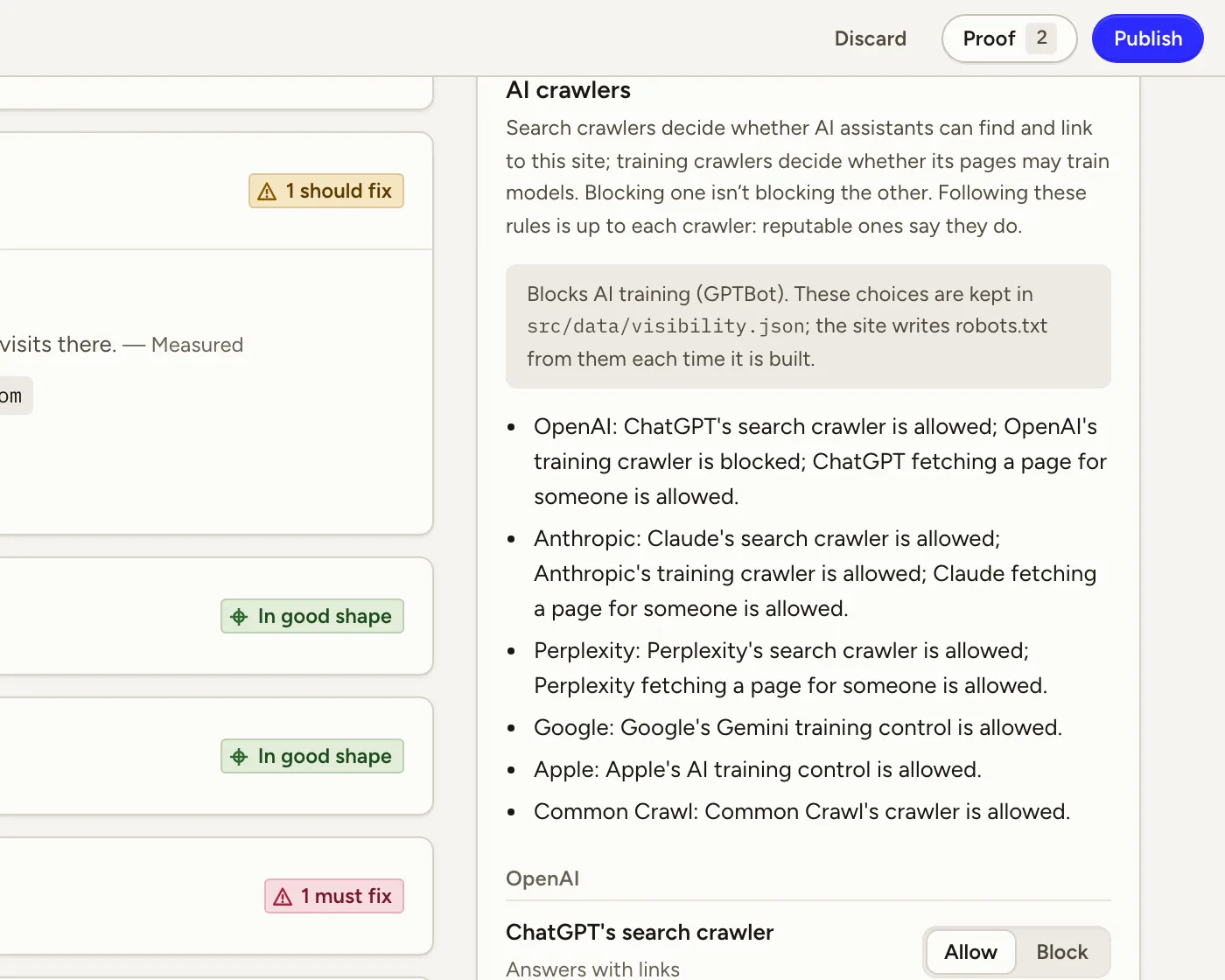
Under AI crawlers, choose Allow or Block for each one — here Block for OpenAI's training crawler. A bar at the foot says what will change; press Change 1 rule.
You’ll see: Search crawlers decide whether AI assistants can find and link to the site; training crawlers decide whether its pages may train models.
Check the panel's summary, then open Proof and Publish.
You’ll see: The choice waits in Proof with the fix; the site writes it into robots.txt when you publish.